How to Optimize Your Restaurant Menu on Swiggy & Zomato to Get More Orders
A concise, data-backed playbook for restaurants, cloud kitchens & hotels, covering structure, sequencing, hygiene, and the full audit checklist.
What Your Customer Sees First, The 6 Building Blocks of Your Online Menu
Every dish on Swiggy or Zomato is judged before it is tasted. Your menu layout decides whether a customer clicks Add to Cart or scrolls past you to a competitor.
Here are the 6 elements that make or break your online menu:
Category
Your menu's main chapters, like Starters, Mains, and Beverages. Customers land here first, so keep it clean and simple.

Fresh cottage cheese in rich tomato butter gravy.

Creamy black lentils slow-cooked overnight.

Hot buttered pav with spicy mashed veggie gravy.
Fresh cottage cheese cubes in rich creamy tomato butter.
Creamy black lentils slow-cooked overnight with churned butter.
Hot buttered pav buns served with spicy mashed veggie gravy.
Anatomy Guide Breakdown
Category
Your menu's main chapters, like Starters, Mains, and Beverages. Customers land here first, so keep it clean and simple.
Sub-Category
Funnels customers from broad categories like Beverages down to specific items like Fresh Juices, Cold Coffee, and Shakes.
Item Image
Hungry customers eat with their eyes first. Dishes with professional photos get ordered far more. No image means a missed sale.
Item Name
Keep names clear, correctly spelled, and properly formatted. A messy title looks unprofessional and instantly kills customer trust.
Description
Use roughly 10 crave-worthy words. Highlight popular search terms like creamy, spicy, North Indian, and grilled.
Veg / Non-Veg Tag
Carries massive weight. Indian preferences are split 50-50 between veg and non-veg. One wrong tag triggers cancellations and bad reviews.
Remember: Your customer cannot smell, touch, or taste your food online. These 6 elements are the only tools you have to make them choose you.
Put Best-Sellers Where Eyes Land First
Two restaurants. Same city. Same cuisine. Same price. One is earning double. The difference is not the kitchen, it is the menu. The winning restaurant simply put its best dish where every customer looks first.
- 1. Plain Dal Tadka (Low AOV)₹120
- 2. Dal Makhani (Mid AOV)₹180
- 3. Paneer Butter Masala (Bestseller)₹280
A customer opens your menu. Sees your lowest priced dish. Scrolls briefly. Leaves. Your bestseller never got a chance. This is happening silently on your menu right now.
- 1. Paneer Butter Masala Premium Bestseller₹280
- 2. Paneer Tikka Masala₹240
- 3. Plain Dal Tadka₹120
The 8 × 16 Rule : Your Menu's Golden Limit
More options do not mean more orders. They mean more confusion. When a customer opens your Swiggy or Zomato menu and sees an endless list of dishes, they do not feel excited. They feel overwhelmed. And an overwhelmed customer does nothing, they close the app and order from somewhere simpler.
Max 8 Categories
Eight tabs. No more. Recommended, Starters, Main Course, Biryanis, Desserts, Beverages. This exact order matches how customers think about their meal. Clean, logical, easy to navigate.
Max 16 Items Per Category
Only keep your best performing dishes. Remove anything that rarely gets ordered. Fewer options make decisions easier. A focused category always gets more clicks and more orders.
Food Photos and Descriptions: Your Hidden Growth Levers
Customers order what looks good. If your dish has no photo it simply does not exist to them.
Your customer is scrolling through dozens of restaurants at the same time. The moment they see a dish that looks irresistible, they stop. They tap. They order. That split second decision is driven entirely by what your food looks like on screen, not what it tastes like in real life.
More Photos. More Orders. It Is That Simple.
Every dish without a photo is invisible to a hungry customer. Start with your top ten to fifteen bestsellers. Get them photographed professionally. These are your money makers, they deserve to look the part.
No Budget for a Photographer Right Now?
A clean, well chosen stock image is always better than a blank space. But make it count, pick an image that honestly represents your dish and makes it look worth ordering. And whatever you do, make sure your restaurant banner features your best dish. It is the very first thing every customer sees when they open your page.
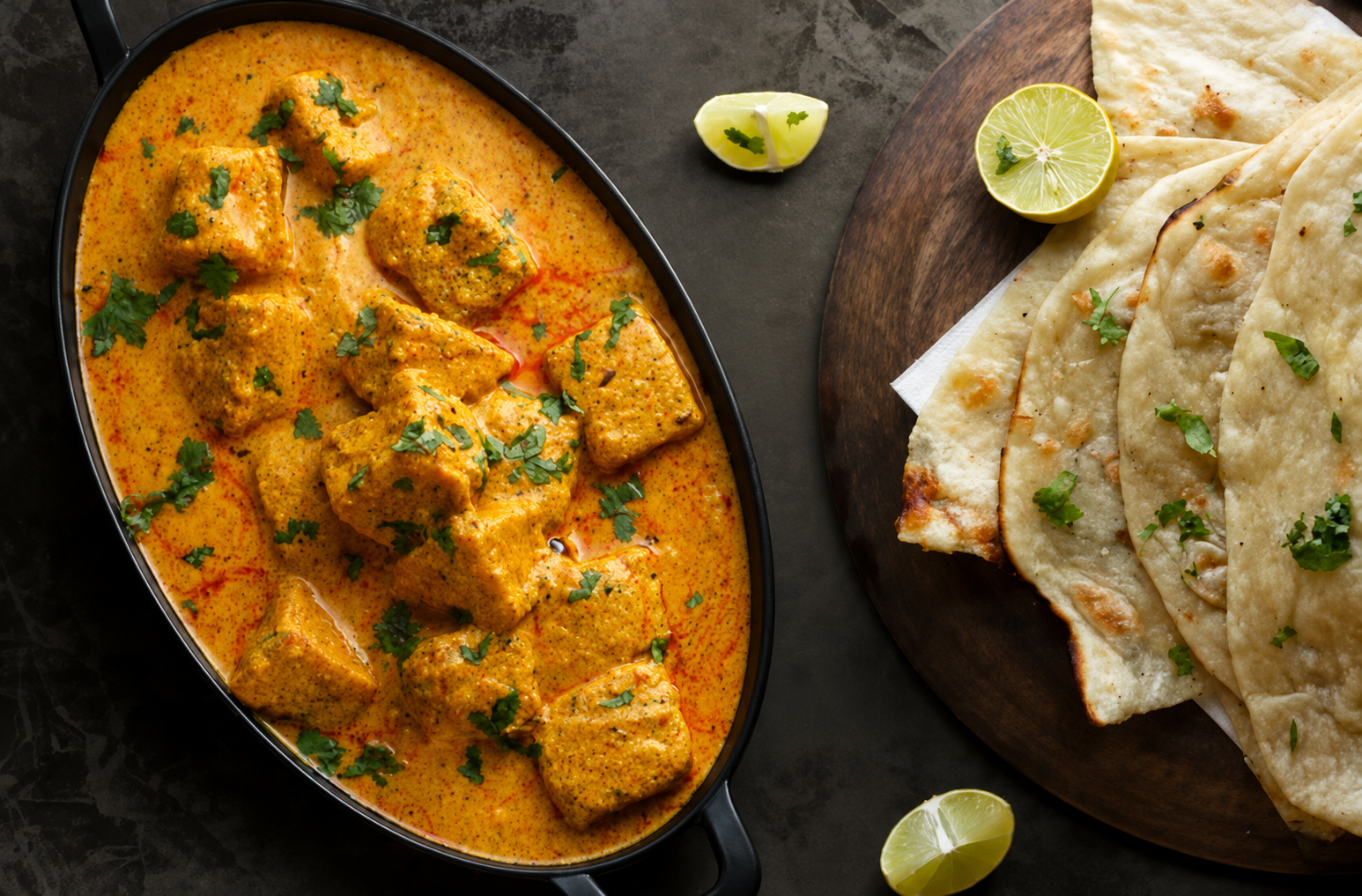 Live Example: Paneer Butter Masala
"Think of every photo as a silent salesperson working for you around the clock, no salary, no breaks, no days off."
Meals for 1, Combos and Price Parity
Today's online food customer is often ordering alone. A working professional on a lunch break. A student at their desk. Someone at home who wants a complete, satisfying meal without ordering for two.
This is one of the fastest growing order segments on Swiggy and Zomato, and most restaurants are not targeting it properly.
Build Combos That Feel Complete
A great combo is not just about price. It is about making the customer feel like they are getting a full, satisfying meal in one tap. Think main dish, bread, a small side and something sweet to finish. When a customer sees a combo that feels complete and fairly priced, the decision to order becomes effortless.
Dal Makhani, Butter Naan, Salad and Dessert. A complete meal that feels premium and worth every rupee.
Vada Pav and Masala Tea Pack. Simple, familiar and priced for a quick snack order. Appeals to a completely different customer without cannibalising your main menu.
Price Parity, Non Negotiable
This is the rule most restaurants quietly break and silently pay for.
Your online price must match your in-dining price. The moment a customer notices your Swiggy or Zomato menu is more expensive than eating at your restaurant, trust breaks. They screenshot it. They leave a bad review. They do not come back.
Keep your prices consistent across every platform.
And keep your menu active during peak hours, especially at night. Every hour your restaurant appears offline during a busy shift is an hour of orders going directly to your competitor.
Small Menu Changes Most Restaurants Never Think About
Sometimes the reason customers do not order has nothing to do with your food. It is a wrong tag. A spelling mistake. A dish listed twice. These tiny errors make your menu look unprofessional and push customers away without a single complaint. Here is what to fix:
Standardized Item Tag Sequence
Space Around Operators
Ensure whitespace surrounds operators to look clean and highly readable.
Square Brackets Only
Use uniform square brackets in catalog titles to isolate dietary info.
Sentence Case Descriptions
Avoid angry shouting caps. Soft sentence casing increases readability.
SI Units Lowercase
Standard metric units like ml, grams, or kg should stay lowercase.
Pieces for Counts
Always denote pieces clearly inside brackets for countable entries.
Serving Size Isolation
Clearly communicate expected serving limits to ensure customer clarity.